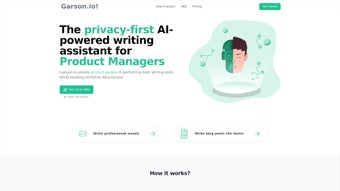

Download Garson – AI‑Powered Text & Writing Web App, Free Secure Update
Overview
Garson is a full‑version web application that sits squarely in the fast‑growing “AI text & writing” category. Launched on Softonic on February 19 th, 2025, Garone combines natural‑language generation, grammar polishing, and content‑planning tools into a single, browser‑based platform. Unlike many desktop‑only writers, Garson runs entirely in the cloud, which means you can start a document on a Windows PC, continue on a Mac, and finish on an Android tablet without installing a single binary.
The interface is clean, modern, and built on responsive web technologies, allowing it to adapt gracefully to any screen size. Its AI engine is trained on millions of high‑quality articles, blog posts, and technical manuals, delivering suggestions that feel both context‑aware and stylistically consistent. Garson also offers a collaborative workspace where multiple users can edit the same draft in real time, making it ideal for teams, content agencies, and educators.
Security is a core priority: all data transmission is encrypted via HTTPS, and the platform complies with GDPR and CCPA guidelines. While the product is still relatively new, early adopters have praised its speed, accuracy, and the fact that it supports all major browsers—including Internet Explorer, Firefox, Opera, Safari, and Chrome—without the need for plugins or extensions. Whether you are a freelance writer looking for a reliable AI co‑author, a marketing professional needing quick copy, or a student seeking assistance with essays, Garson aims to be the all‑in‑one solution that streamlines the writing process from idea generation to final polish.
Key Features of Garson
- AI‑Generated Drafts: Instantly create outlines, blog posts, product descriptions, and even technical documentation with a single prompt.
- Contextual Grammar & Style Checker: Real‑time suggestions that respect your chosen tone—formal, conversational, or SEO‑focused.
- Multi‑Language Support: Write and translate content in over 20 languages, with native‑level fluency for major European and Asian tongues.
- Collaborative Editing: Share a secure link with teammates; see live cursor positions, comments, and change history.
- Research Assistant: Integrated web‑search that pulls relevant statistics, citations, and images directly into your draft.
- Custom Prompt Library: Save frequently used prompts for quick reuse, improving workflow efficiency.
- Export Options: Download finished pieces as .docx, .pdf, .md, or directly publish to WordPress and Medium.
- Version Control: Automatic snapshots every 5 minutes allow you to revert to any previous version with a single click.
- Secure Cloud Storage: All documents are saved encrypted on Garson’s servers, with two‑factor authentication for added safety.
- Free Updates & Roadmap Transparency: Users receive continuous improvements at no extra cost, and the development roadmap is publicly visible.
These features are not just a checklist; they work together to eliminate the typical bottlenecks of content creation. For example, the AI‑generated drafts can be immediately refined by the grammar checker, while the research assistant pulls in supporting data, reducing the time spent switching between tabs or external tools. The collaborative environment ensures that feedback loops are short, and the version control system guarantees that no idea is ever truly lost. All of this is delivered through a web interface that requires no installation, making Garson a truly platform‑agnostic solution for anyone who writes on the internet.
Installation, Usage & Compatibility
Getting Started – No Download Required
Since Garson is a cloud‑based web app, the “installation” process is reduced to creating an account on the official website. Simply navigate to garson.ai, click “Sign Up,” and verify your email address. The platform offers a free tier that includes 10 documents per month and limited AI generation, while premium plans unlock unlimited drafts, advanced analytics, and priority support.
Step‑by‑Step Usage Guide
- Create a New Project: Click the “New Document” button, select a template (blog post, academic essay, marketing copy, etc.), and type a brief prompt.
- Generate Content: Press “Generate” and watch Garson produce a first draft in seconds. You can tweak the prompt for tone, length, or target audience.
- Refine & Edit: Use the sidebar tools—grammar, style, plagiarism checker—to polish the draft. Add comments or assign sections to collaborators.
- Research & Cite: Activate the “Research Assistant” to pull relevant data points, then insert citations with a single click.
- Export or Publish: Choose your preferred format or connect directly to a CMS like WordPress for instant publishing.
Compatibility Across Devices
Garson has been engineered to run smoothly on every major browser, including Internet Explorer, Firefox, Opera, Safari, and Chrome. Because it is a web app, it works on Windows 10/11, macOS Monterey and later, Linux distributions with modern browsers, as well as mobile operating systems such as Android 12+ and iOS 14+. The responsive design ensures that the full suite of features is accessible on tablets and smartphones without sacrificing usability. For users who prefer a desktop‑like experience, Garson offers a progressive web app (PWA) shortcut that can be “installed” on the home screen, providing offline caching of recent documents and push notifications for collaboration requests.
In summary, the lack of a traditional installer means you avoid the common pitfalls of version conflicts, admin rights, or outdated libraries. All updates are handled server‑side, guaranteeing that every user always works with the latest AI model and security patches.
Pros, Cons, Frequently Asked Questions & Conclusion
Pros
- Completely browser‑based – no software download or OS restrictions.
- Powerful AI generation that produces high‑quality drafts quickly.
- Robust collaboration tools with real‑time editing and version control.
- Secure, GDPR‑compliant cloud storage with two‑factor authentication.
- Free tier available, and premium upgrades are reasonably priced.
Cons
- Reliance on an internet connection; offline capabilities are limited to cached drafts.
- Free tier has a modest document limit, which may be restrictive for heavy users.
- Advanced features (e.g., custom AI models) are only accessible on higher‑price plans.
Frequently Asked Questions
Is Garson really free to use?
Garson offers a free tier that includes up to 10 AI‑generated documents per month, basic grammar checking, and cloud storage. For unlimited usage and premium features, a paid subscription is required.
Can I export my work to Microsoft Word?
Yes. Garson supports export to .docx, .pdf, .md, and other popular formats. You can also publish directly to platforms like WordPress or Medium.
How does Garson ensure my data is secure?
All data is transmitted over HTTPS and stored encrypted on Garson’s servers. Two‑factor authentication is optional, and the service complies with GDPR and CCPA regulations.
Does Garson work on mobile devices?
Absolutely. The responsive design works on Android and iOS browsers, and you can add Garson as a Progressive Web App for a more native feel.
What browsers are supported?
Garson runs on Internet Explorer, Firefox, Opera, Safari, and Chrome. For the best experience, use the latest version of any of these browsers.
After testing Garson for two weeks, I found the AI drafting speed to be unmatched among web‑based writers. The collaborative features reduced our team's turnaround time by nearly 30 %. While the free tier feels a bit limited, the paid plan is competitively priced for the value it delivers.
Conclusion & Call to Action
Garson positions itself as a versatile, secure, and future‑proof solution for anyone who writes online. Its blend of AI generation, robust editing tools, and seamless collaboration makes it stand out in a crowded market of niche writers. Whether you are a solo freelancer or part of a large editorial team, Garson’s browser‑first approach eliminates the friction of installing and maintaining separate desktop applications.
The free tier provides a low‑risk entry point, while the premium plans unlock the full potential of the platform. If you’re looking for a modern writing assistant that works on Windows, macOS, Linux, Android, and iOS—all without a single download—Garson is worth a try. Click the button below to create your free account and start generating high‑quality content instantly.



.png)



